

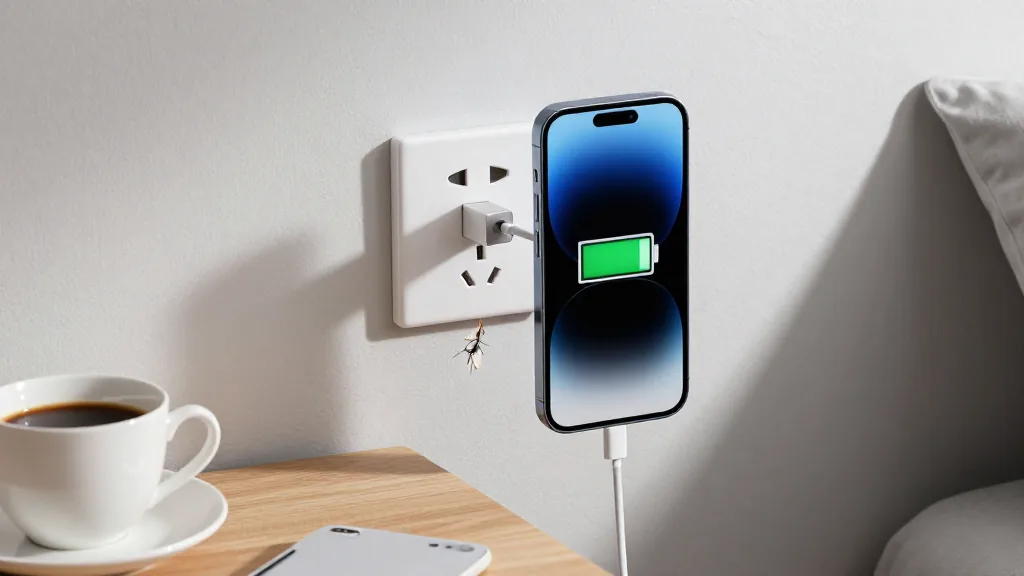
You finish a work session completely drained. Your brain feels like it's overheating, your eyes hurt from staring at the screen, and you can barely think straight anymore. So you do what feels natural—you collapse on the couch, pull out your phone, and start scrolling through YouTube.
Two hours later, when you finally stand up to go to bed, something feels off. You're tired, but also weirdly wired. Your eyes hurt even more. There's a fog in your head that wasn't there before. You just spent two hours "resting," so why do you feel... drained?
If you're dealing with post-viral fatigue, chronic illness, or just running your life on what feels like 60% battery, this paradox might be familiar. You're being careful about rest. You're not pushing yourself physically. You're spending hours in recovery mode.
So why isn't your battery recharging?
The Screen Saver Fallacy
Here's a question: while you're scrolling through videos on your phone, what's happening to the phone's processor?
It's working. Hard.
It's decoding video streams, rendering thousands of pixels per second, managing data buffers, tracking your touch inputs, making predictions about what you'll watch next. That's why your phone gets warm. That's why the battery drains.
Your phone looks static in your hand. From the outside, you look like you're resting. But inside that device, the CPU is running at high RPM.
Now here's the uncomfortable truth: your brain is doing exactly the same thing.
Research on cognitive load shows that processing visual information—especially the rapid context-switching of scrolling—keeps your prefrontal cortex highly active. You're processing thousands of pixels. Making micro-decisions about what to watch next. Tracking narratives across videos. Following comment threads. Your eyes are executing hundreds of micro-movements.
Your screen looks static. But metabolically, you're still running hot.
This is what I call the Screen Saver Fallacy: it looks like rest from the outside, but your brain is burning glucose the entire time. You're not recharging. You're just depleting your battery in a different way.
How to Actually Rest
Think about the last time you looked out a window for a few minutes. Not at your phone, not at a screen—just at trees, or clouds, or the street outside.
What was different about that experience?
When you look out a window, your eyes can relax at a distance. You're not processing rapid information or making constant decisions. Sometimes your mind just... drifts. There's no narrative to track, no next thing to click, no feed to scroll.
There's a quieter sensation in your head.
That "quieter" feeling isn't just subjective comfort. It's your default mode network activating—the brain state associated with actual rest and recovery. This is the neural network that engages when you're not focused on external tasks, when your attention can soften, when cognitive demand drops to minimal levels.
Screen time doesn't allow default mode network activation. Your attention stays locked on external stimuli. Your brain stays in processing mode.
This reveals something important: real rest isn't about physical inactivity. It's about minimal cognitive demand.
The 2 Types of Rest (Phantom vs Real)
Let's map out what actually counts as rest when you're running on limited battery:
Phantom Charging (Looks like rest, isn't):
- Scrolling social media
- Watching YouTube videos
- Playing mobile games
- Reading news feeds
- Browsing websites
All of these maintain high cognitive load. Your brain is processing, deciding, tracking, engaging.
Real Charging (Actually restores energy):
- Looking out a window
- Closing your eyes and listening to one song
- Making a cup of tea (the process, not while checking your phone)
- Gentle stretching
- Sitting outside and just... being there
The difference isn't about productivity or "worthwhile" activities. It's about what happens in your brain. Real charging activities have minimal cognitive demand and allow your default mode network to activate. That's when actual recovery happens.
But here's where it gets interesting: even if you switch to real rest activities, there's still a second problem most people with chronic fatigue make.
The Pacing Mistake That's Draining Your Battery
When do you typically take a break from work?
If you're like most people managing limited energy, you push through until you absolutely can't focus anymore. Until you make a stupid mistake. Until the exhaustion is undeniable.
You're waiting for the warning light.
But think about your car's fuel warning light. When it comes on, how much gas do you actually have left?
Maybe 10-15% of the tank.
You're not supposed to let it get that low. Running a car near-empty damages the fuel pump. And here's what research on post-viral fatigue shows: recovery from deep energy depletion takes exponentially longer than if you'd stopped earlier.
If you're operating at 60% battery overall, and you drain that 60% down to near-zero every single day, you're spending enormous amounts of time and energy just getting back to baseline. You're not actually accomplishing more by pushing until exhaustion. You're creating a recovery debt that compounds.
This is called symptom-contingent pacing: waiting until symptoms force you to stop.
But there's a counterintuitive alternative that actually works better.
Why You Should Stop Before You're Tired
Here's what feels wrong but works: time-contingent pacing.
Work for 20 minutes. Then take a mandatory 5-minute break. Not when you feel tired. Not when you've hit a stopping point. When the timer goes off.
Stop at your 20% warning light, not your 0% empty tank.
Your immediate thought is probably: "But I'll accomplish less if I stop when I still have energy left."
The data contradicts this intuition.
Studies on energy envelope management show that people with chronic fatigue who use time-contingent pacing—working for fixed periods regardless of how they feel—actually increase their total productive output over weeks and months.
Why?
Because they're not spending three days recovering from one day of overexertion.
Think about it: if you work until complete exhaustion on Monday and need Tuesday and Wednesday to recover enough to function, you get one productive day out of three. But if you work in carefully paced blocks Monday, Tuesday, and Wednesday—stopping before depletion each day—you might work fewer hours per day but get three productive days instead of one.
The math isn't intuitive, but it's consistent: preventing deep depletion outperforms pushing to exhaustion.
Why Your Battery Dies Even When You're Resting
There's one more mechanism that most advice on fatigue management completely overlooks.
You know how a car battery dies if the car just sits in the garage, even though the engine isn't running?
The battery needs the engine turning to activate the alternator. The alternator converts mechanical energy into electrical energy and recharges the battery. Without that movement, even a good battery slowly dies.
Your body has the same requirement.
Research on post-viral recovery shows that brief, gentle movement improves mitochondrial function and glucose regulation. Not exercise—that would be too demanding. But movement specifically for its metabolic effect.
A 15-minute walk isn't about fitness or burning calories. It's about running your alternator.
This explains something you might have noticed: on days when you barely move, even if you're "resting" the whole time, you somehow feel more depleted. On days when you take a short walk or just step outside for fresh air, you have slightly more capacity.
You're not imagining it. Your mitochondria literally function better with gentle, regular movement. Sedentary rest alone isn't enough to recharge your biological battery.
How to Apply This
Let's put this together into a practical system:
1. Replace Phantom Charging with Real Charging
During breaks, step completely away from screens. No phone, no computer, no TV. Instead:
- Look out a window for 5 minutes
- Close your eyes and listen to one song all the way through
- Make tea and actually pay attention to making it
- Do gentle stretches
- Just sit and let your mind wander
Yes, this feels uncomfortable at first. Your brain is used to constant input. That's exactly why you need to do it.
2. Switch to Time-Contingent Pacing
Set a timer for 20-minute work blocks. When it goes off, take a mandatory 5-minute real rest break. Stop even when you feel like you could keep going.
The discipline isn't in pushing longer. It's in stopping early.
3. Add One Daily "Alternator Charge"
Once per day, do 15 minutes of gentle outdoor movement. This could be:
- Walking to the end of your street and back
- Standing on your porch and walking around your yard
- Any movement that feels easy enough to do on your worst day
This isn't exercise. It's a metabolic intervention. You're running your alternator so your biological battery can actually charge.
Why Stopping Early Isn't Lazy
The hardest part of this approach isn't the logistics. It's the guilt.
Stopping when you still have energy left feels like being lazy. Like not trying hard enough. Especially when you're under pressure and have so much to do.
But here's the reframe: you're not being lazy. You're being strategic.
You're preventing the exponential recovery cost of deep depletion. You're maximizing your total productive time across days and weeks, not just minutes and hours. You're working with your physiological limitations instead of fighting them.
Running your life on 60% battery is hard enough. Don't make it harder by using rest strategies that don't actually recharge you.
What We Haven't Talked About Yet
There's still one piece missing from this picture.
You can implement time-contingent pacing. You can switch to real charging activities. You can add your daily alternator charge.
But what about the background apps?
You know the ones I mean. The worry about your parents. The work conflict you can't stop thinking about. The self-criticism that runs on repeat. The rumination that burns glucose even when you're trying to rest.
Those background apps don't stop during your 5-minute breaks. They keep running, draining your battery, even when you're looking out the window or listening to music.
And that's where the next layer of energy management comes in—the specific techniques that can actually close those background apps instead of just trying to ignore them while they drain your battery in the background.
But that's a whole other mechanism we haven't opened up yet.





Comments
Leave a Comment